-
Guest, please read these simple rules before you request:
- Before requesting, always search with the FULL release name in the search box. The "is this being discussed" window is not a search engine.
- You can make up to 10 requests (including RE-UP) per day (24h) to avoid abuse.
- Include a link with info about the release, typically from srrDB or PreDB.
- Once your request has been fulfilled, edit the thread and mark it with the prefix "FILLED".
- Show your gratitude by thanking the user with a Like, do not reply with "thank you" messages.
- If a link is dead, leave a reply asking for a re-up instead of making a new topic.
- Fillers should prioritize user-friendly hosts with decent retention when possible.
Updated on 2025-12-26.
You are using an out of date browser. It may not display this or other websites correctly.
You should upgrade or use an alternative browser.
You should upgrade or use an alternative browser.
FILLED Civilization VI Julius Caesar DLC NSW
- Thread starter lordcy77
- Start date

Palinkat
LEGEND
- Joined
- 15 Jun 2023
- Messages
- 1,874
- Appreciation score
- 2,669
Have you tried these?:I can't find this released anywhere. Does someone have this and can share? Thanks.
https://scnlog.me/forum/threads/sid_meiers_civilization_vi_dlc_pack_v1-2-17_nsw-fly.83232/
Palinkat
LEGEND
- Joined
- 15 Jun 2023
- Messages
- 1,874
- Appreciation score
- 2,669
Maybe it's just on Steam?Yes, I installed it but it's not in there. I also have 1.2.18 & 1.2.19 and neither of them have it as well. Thanks.
formeruser
LEGEND
- Joined
- 9 Jun 2023
- Messages
- 6,114
- Appreciation score
- 14,324
TL;DR: Follow the instructions in the spoiler below to install the game and unlock all DLCs including Julius Caesar as leader.
01. Download, extract and install only Sid_Meiers_Civilization_VI_NSW-VENOM and Sid_Meiers_Civilization_VI_Update_v1.2.19_NSW-VENOM from here.
02. Download and extract the custom unlocker from the spoiler below.
03. Copy or move the
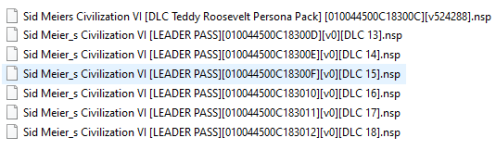
04. Install all 18 custom NSP files in the
05. Launch the game and wait for the main menu to appear.
06. Select
07. Press
08. All eleven entries on the left should be marked with a green
09. Press
10. There should be 40 entries on the left, all of which are marked with a white
11. Enable/Disable DLCs to your liking, specifically
12. Press
13. Navigate to
14. Select
15. Wait for the absurdly long loading screens to finish.
16. Enjoy!
02. Download and extract the custom unlocker from the spoiler below.
03. Copy or move the
atmosphere directory to the root of your SD card, merge when prompted.04. Install all 18 custom NSP files in the
install directory.05. Launch the game and wait for the main menu to appear.
06. Select
Downloadable Content.07. Press
L to switch to the DOWNLOADABLE CONTENT tab.08. All eleven entries on the left should be marked with a green
Installed.09. Press
R to switch back to the INSTALLED tab.10. There should be 40 entries on the left, all of which are marked with a white
Enabled by default.11. Enable/Disable DLCs to your liking, specifically
Julius Caesar Leader Pack should be left enabled.12. Press
B to return to the main menu.13. Navigate to
Single Player, then Create Game.14. Select
Julius Caesar as your leader, set up the game as you wish, then press PLUS to start it.15. Wait for the absurdly long loading screens to finish.
16. Enjoy!
Since VENOM were too lazy to do this themselves, again, here is a custom unlocker for all DLCs including Julius Caesar and Scout Cat not available from scene or elsewhere, as far as I know:
It was tested successfully with the two non-DLC scene releases linked above. See this post for an explanation of how the NSPs were created and why they are safe (
As a bonus, the download includes a patch to skip all intro videos by using a dummy video file sourced from
For a second bonus, here are
Password: kMJOPyjiZht4QJFlfpyU
You do not have permission to view link
Log in or register now.
You do not have permission to view link
Log in or register now.
It was tested successfully with the two non-DLC scene releases linked above. See this post for an explanation of how the NSPs were created and why they are safe (
You do not have permission to view link
Log in or register now.
).As a bonus, the download includes a patch to skip all intro videos by using a dummy video file sourced from
You do not have permission to view link
Log in or register now.
. The cinematic can be disabled in the game's options menu under the INTERFACE tab.For a second bonus, here are
Sid Meier's Civilization VI OST and Sid Meier's Civilization 25th Anniversary Soundtrack (unfortunately in
You do not have permission to view link
Log in or register now.
) from Steam (
You do not have permission to view link
Log in or register now.
) via Sid.Meiers.Civilization.VI.Rulers.of.England-RUNE:
You do not have permission to view link
Log in or register now.
You do not have permission to view link
Log in or register now.
You do not have permission to view link
Log in or register now.
You do not have permission to view link
Log in or register now.
Password: kMJOPyjiZht4QJFlfpyU
The Julius Caesar DLC is not part of any scene or P2P NSW release because it officially requires creating a "free" publisher account and linking it between 2022-11-21 and 2024-11-24 to the platform account that "owns" the game according to the
On PC this time-limited spyware crap can be avoided by simply adding the correct DLC ID (see
The equivalent for NSW is this "trick". However, even if instead of using an empty RomFS one writes the DLC ID to the file
Thankfully this file uses the Steam DLC IDs too, which makes comparing the two lists easy enough:
- The soundtrack and digital deluxe extras (OST + four post-launch DLCs, see next point) can be ignored.
- The first five packs are already included in the NSW base XCI (see the NFO and RomFS).
- The New Frontier Pass just contains the eight packs surrounding it.
- The Leader Pass includes the six packs below it.
- All other DLC IDs are identical.
- DLC5/6 and EXP1/2 were released by VENOM as the above-mentioned DLC unlocker and expansion pack, respectively.
Taking a closer look at the second list while keeping the title IDs of the scene releases in mind - and cheating by looking at
Two interesting observations are that the Julius Caesar DLC has
However, instead of usingdoes not seem to be used for anything is technically the New Frontier pass and does nothing on its own as it's not in the above DLC ID list, but Caesar will still be unlocked. Obviously this is a rather dirty hack instead of a proper crack, but it should survive new DLCs getting released and I could not be bothered to RE the executable(s). At least it works for now!
By the way, the latest update contains all DLC files, which explains its drastic overall
Too bad the game is trash and this port's atrocious performance made testing on hardware a pain.
You do not have permission to view link
Log in or register now.
, that's why the store page does not list it (
You do not have permission to view link
Log in or register now.
,
You do not have permission to view link
Log in or register now.
). Presumably a small DLC unlocker will be installed automatically after successful linking, but I can't test that for obvious reasons.On PC this time-limited spyware crap can be avoided by simply adding the correct DLC ID (see
You do not have permission to view link
Log in or register now.
or the spoiler below) to the Steam emulator's configuration file, like RUNE did for their two releases.
Code:
512030=Sid Meier's Civilization VI: Aztec Civilization Pack
512031=Sid Meier's Civilization VI: 25th Anniversary Soundtrack
512032=Sid Meier's Civilization VI: Vikings Scenario Pack
512033=Sid Meier's Civilization VI: Poland Civilization & Scenario Pack
512034=Sid Meier's Civilization VI: Australia Civilization & Scenario Pack
512035=Sid Meier's Civilization VI: Persia and Macedon Civilization & Scenario Pack
521770=Sid Meier's Civilization VI: Digital Deluxe Extras
645400=Sid Meier's Civilization VI: Nubia Civilization & Scenario Pack
645401=Sid Meier's Civilization VI: Khmer and Indonesia Civilization & Scenario Pack
645402=Sid Meier's Civilization VI: Rise and Fall
947510=Sid Meier's Civilization VI: Gathering Storm
1253990=Sid Meier's Civilization VI: Maya & Gran Colombia Pack
1270540=Sid Meier's Civilization VI: Ethiopia Pack
1281820=Sid Meier's Civilization VI: Teddy Roosevelt Persona Pack
1284470=Sid Meier's Civilization VI: Byzantium & Gaul Pack
1308090=Sid Meier's Civilization VI: New Frontier Pass
1342010=Sid Meier's Civilization VI: Catherine de Medici Persona Pack
1388850=Sid Meier's Civilization VI: Babylon Pack
1436950=Sid Meier's Civilization VI: Vietnam & Kublai Khan Pack
1478300=Sid Meier's Civilization VI: Portugal Pack
2158250=Sid Meier's Civilization VI: Leader Pass
2173131=Sid Meier's Civilization VI: Great Negotiators
2222600=Sid Meier's Civilization VI: Great Commanders
2222601=Sid Meier's Civilization VI: Rulers of China
2222602=Sid Meier's Civilization VI: Rulers of the Sahara
2222603=Sid Meier's Civilization VI: Great Builders
2222604=Sid Meier's Civilization VI: Rulers of England
2297840=Sid Meier's Civilization VI: Julius CaesarDLCID.txt, like was done for Sid_Meiers_Civilization_VI_DLC_Unlocker_NSW-VENOM and Sid_Meiers_Civilization_VI_Expansion_Pack_DLC_NSW-VENOM (Expansion1 only), it still won't work in this case because aspyrassets/nx/DLCIDList.txt is used to manage DLCs:
Code:
DLC5 645400 1
DLC6 645401 2
EXP1 645402 3
EXP2 947510 3
GranColombiaMaya 1253990 4
TeddyRoosevelt 1281820 5
CatherineDeMedici 1342010 8
Ethiopia 1270540 9
ByzantiumGaul 1284470 7
Babylon 1388850 6
Vietnam 1436950 11
Portugal 1478300 10
GreatNegotiators 2173131 13
GreatWarlords 2222600 14
RulersOfChina 2222601 15
RulersOfTheSahara 2222602 16
GreatBuilders 2222603 17
RulersOfEngland 2222604 18
JuliusCaesarIgnored 2297840 -1- The soundtrack and digital deluxe extras (OST + four post-launch DLCs, see next point) can be ignored.
- The first five packs are already included in the NSW base XCI (see the NFO and RomFS).
- The New Frontier Pass just contains the eight packs surrounding it.
- The Leader Pass includes the six packs below it.
- All other DLC IDs are identical.
- DLC5/6 and EXP1/2 were released by VENOM as the above-mentioned DLC unlocker and expansion pack, respectively.
Taking a closer look at the second list while keeping the title IDs of the scene releases in mind - and cheating by looking at
Add-On Content on a certain page (
You do not have permission to view link
Log in or register now.
,
You do not have permission to view link
Log in or register now.
) - makes it clear that the last number in each line is the DLC title ID (010044500C1830XX). This also explains why both expansions use 3 and why there is no 12 (0xC), as that is listed as a duplicate of the Teddy Roosevelt persona pack for some reason (more on this soon).Two interesting observations are that the Julius Caesar DLC has
Ignored appended to its name and the third column is -1 instead of a generally increasing positive integer like all other entries, which are sorted by Steam DLC ID (except for Ethiopia). The obvious next step is to change the last line to JuliusCaesar 2297840 19, set up LayeredFS (
You do not have permission to view link
Log in or register now.
) to load the modified DLCIDList.txt, create and install a custom DLC unlocker NSP for title ID 010044500C183013, then launch the game to check if Julius Caesar is unlocked and selectable. Lo and behold, he is!However, instead of using
19 (0x13), which may be used by a future DLC, that would then probably break the game - though the DLC list has not changed since update v1.2.16 (2023-08-30) - 12 was chosen because it By the way, the latest update contains all DLC files, which explains its drastic overall
You do not have permission to view link
Log in or register now.
and why installing the four relevant scene releases together causes duplicate menu entries to be shown for some DLCs, even more so with the non-dummy P2P ones. The included DLC files also seem to be newer compared to the standalone DLC NSPs available from scene/P2P. That's why I recommend to skip the large scene, FLY and other P2P DLC releases and instead just use the custom DLC unlocker above with the linked scene base XCI and update v1.2.19 to be able to access all DLCs while saving a large amount of transfer and install time, especially because FLY failed to realize that 9 of the 27 NSPs in his 11.7 GiB v1.2.17 DLC pack (1/4 of the total size) are outdated dupes of the same title ID.Too bad the game is trash and this port's atrocious performance made testing on hardware a pain.
Hi formeruser,
I finally got around to trying this and installing Venom v1.2.19 update posted in the download links fails "Error: Invalid PFS0 magic!". Are there any par files you could post that might fix what I've already downloaded? Thanks.
I finally got around to trying this and installing Venom v1.2.19 update posted in the download links fails "Error: Invalid PFS0 magic!". Are there any par files you could post that might fix what I've already downloaded? Thanks.
formeruser
LEGEND
- Joined
- 9 Jun 2023
- Messages
- 6,114
- Appreciation score
- 14,324
It can't be an archiving mistake since extracting the provided files again produces the expected output and an upload error can be ruled out too because the hashes shown by Pixeldrain match the local files. Check that your archives match the following hashes and redownload corrupted files if necessary, as there is no parity file equivalent for 7-Zip, then extract the archives with the latest version of
Also, what program are you installing the update NSP with? Since the
You do not have permission to view link
Log in or register now.
.
Code:
70c8c9802af90f117729ac63bb125c4b7cb340ad391bbc9eb56ed51e0fe459b8 *W5qgljvuLO-255.7z.001
4aaad86fab3d610f25a8321907bdf740670bbc421025c6deecd369c02c4d2464 *W5qgljvuLO-255.7z.002
c1e1b0e16fc15c36e9e12975a2c2b58f9c7473e6fdb6790212d105ae48662d7f *W5qgljvuLO-256.7z
899796ea06061276fb0a8e2d2a34ada1ddd79bfd90f977b8a9b097899350b369 *W5qgljvuLO-257.7z
2f3f87f9651a71338f06d47322f1afb4b17f2321e170cb92ccfa8e427ef07f4e *W5qgljvuLO-258.7z.001
da53325a925dc893023eef44549b0d4da995775b4d445f23e6fe4fb067974c4e *W5qgljvuLO-258.7z.002
1ddf579d1806f54d05cb436a60eceaf255e02dbcf01d30439fa9898ccb9536e6 *W5qgljvuLO-258.7z.003
fcdddffe7d19d0b16f20230937bcbabe95c1ef0360eb5882127ce142fa749b52 *W5qgljvuLO-259-d.7z
19ebdf4bdeb3f1283352d374d76e16d6c43e0c14eea9f1725ca1a01261ff74b3 *W5qgljvuLO-259-s.7z
ae72b858b23d1b55e9da63502313f9302b40205563d4b2dc78e4c299cc6783b2 *W5qgljvuLO-259-ost.7z
a03b4411627958ddd735c25ef6b95352a2c959ef2aef4c66c7d46dabd4ecb4cc *W5qgljvuLO-259-ost25.7z
Also, what program are you installing the update NSP with? Since the
PFS0 magic is the unencrypted first four bytes of an NSP, key issues are unlikely and the culprit should be a corrupted download or failed extraction instead, though the latter would have given you an error message.Thank you for responding. I have verified that the hashes are correct to the files I've downloaded. I was also using 7-Zip, but an older version (19). Once I downloaded version 24, I did not run into the crc extract error. I will delete and try this again from scratch tonight. I'm using Tinfoil and/or DBI depending on file size. Using Tinfoil, my Switch seems to "go dark" and will not complete transfers bigger than 6GB. If you have an alternative program I should use, please advise. Both of these programs have been pretty reliable. Thanks.
formeruser
LEGEND
- Joined
- 9 Jun 2023
- Messages
- 6,114
- Appreciation score
- 14,324
7-Zip v19.00 is from 2019-02-21, which is practically ancient at this point, and there have been other cases of issues caused by using older versions, that's why I mentioned the latest one.
You did not bring up the extraction error in your previous message. Please do so next time as providing more relevant information can make it easier for others to help you with troubleshooting more quickly.
The NSW (title installer/manager) homebrew scene has been an absolute clown show for years, so unfortunately there is not a single program that I can recommend without major caveats. I have not tried Tinfoil (and never will), but during my testing of other tools I found usingleast trash most reliable solution, though the limiting factor is of course the console's incredibly slow I/O.
You did not bring up the extraction error in your previous message. Please do so next time as providing more relevant information can make it easier for others to help you with troubleshooting more quickly.
The NSW (title installer/manager) homebrew scene has been an absolute clown show for years, so unfortunately there is not a single program that I can recommend without major caveats. I have not tried Tinfoil (and never will), but during my testing of other tools I found using
You do not have permission to view link
Log in or register now.
(closed source) to install via Ethernet from your NAS or via USB with
You do not have permission to view link
Log in or register now.
to be the I appreciate your response, and I apologize about the CRC error. I installed everything in the order you listed above using DBI. When I open the game, I see a quick golden sun looking icon appear and disappear and after about 7 seconds, I'm prompted with the dreaded "The software was closed because an error occurred." with a white exclamation point. I've updated to 18.1 per the patch and installed the latest sig patches. All other, recent, games still play normally. I've also tried rebooting with the same results. I walked through each custom patch. The only ones that work are 83001 and 83002, the rest install but force the error above. Using other methods, I was able to get everything installed except the Leader Pass (*83010-*8300F) and New Frontier Pass (?part of the Leader Pass?). I assume I need the Leader Pass to install to get Julius Caesar. Any other installs available that may help me? Thanks.
What worked:

What worked:
Okay, I got Julius Caesar working going the round-about way, I installed the last of the DLCs manually and then used your atmosphere copy to my SD card. The starting videos still work so I am guessing one of those custom .nsp files tells Civ 6 to skip the videos. While I believe the 1.2.19 patch includes every DLC (makes sense), this did not work for me. I would really like to know why but am okay since this is working. Thank you for your help with this!!!